
Mixpanel vs Heap: Quick Breakdown (2026)
Choosing the right analytics platform to understand user behavior is a common challenge.
Mixpanel and Heap are big names in this field. Both tools help you collect and use data about how people interact with your product or website, but they take different approaches.
Heap automatically collects nearly all user actions, so you start seeing useful numbers without time-consuming setup. Mixpanel asks you to define what matters first, then tracks only those events, which takes more time but gives you precise data.
In this guide, we’ll break down how each tool works, what makes them different, and when one might suit a particular team or project.
Keep reading to see how these tools compare in setup time, cost, and ease of use, so you can get the key information you need without spending hours on research.
What is Mixpanel?
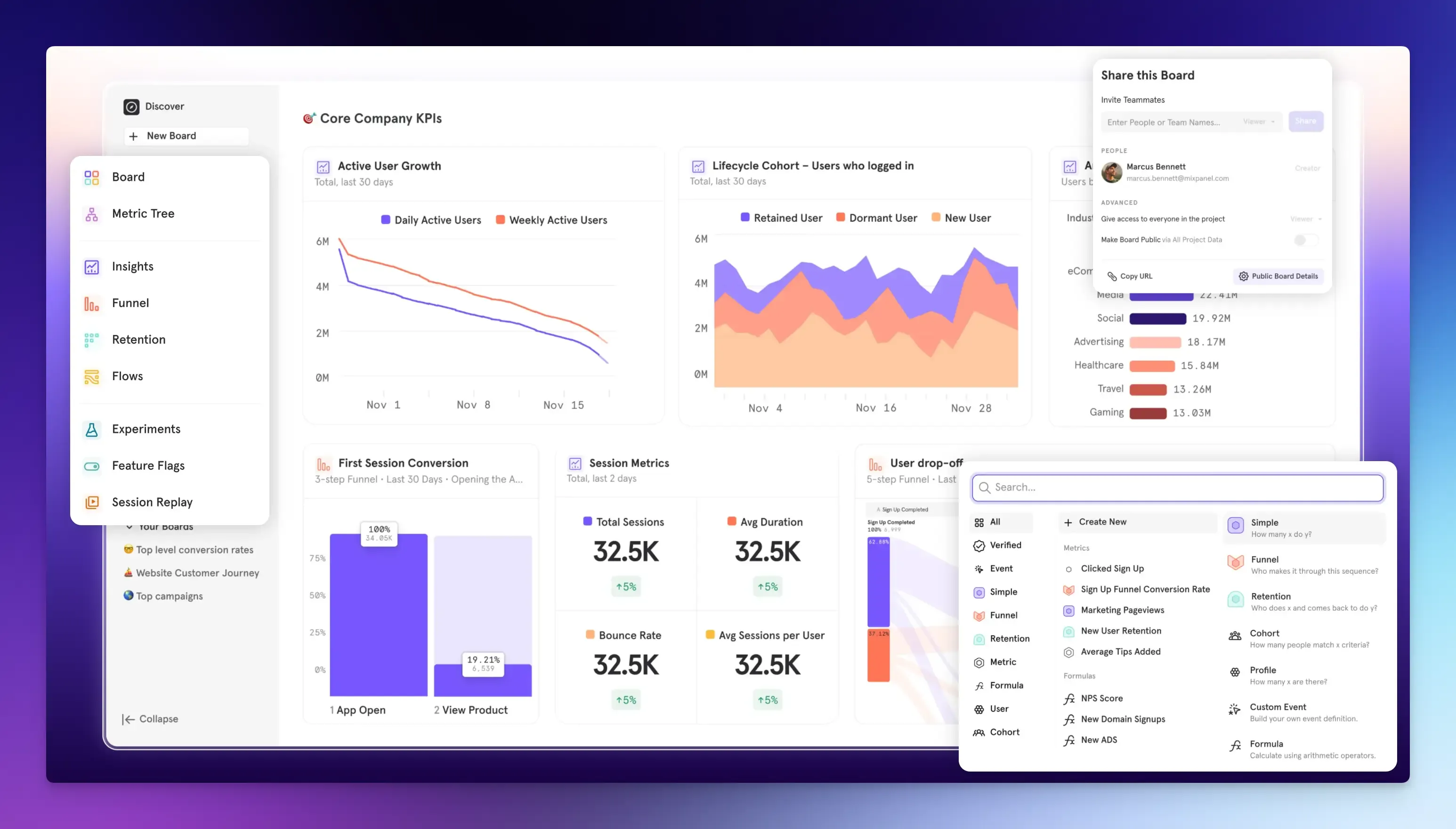
Mixpanel is a product analytics tool that helps you understand how people use your digital product by tracking their individual actions. It helps you see what users actually do so you can make decisions that improve engagement, conversions, and retention.
Mixpanel tracks specific events such as when a user signs up, clicks a button, completes a purchase, and any other events you specify. This lets you answer detailed questions about user behavior and see trends to improve your product.
Such as:
- Which features do users interact with most?
- Where do users drop off?
- How many users return after their first visit?
- Which user groups behave differently?
Key Features
- Funnel Analysis: See where users drop off in your onboarding or checkout flows. You can identify the exact step at which most users abandon their carts and learn the reason.
- Retention Analysis: Find out whether people return to your product after their first actions, helping you understand long-term value.
- User Journeys: See the most common paths users take toward a goal and the features they use most often.
- Segmentation and Cohorts: Group your users by events, properties, or behaviors, and compare how these cohorts behave over time.
- Experimentation and Feature Flags: Test and roll out different versions of a feature to see which one leads to higher conversion rates.
- Session Replays: Watch anonymized recordings of real user sessions to see how they navigate and where they might encounter problems.
- Data Governance: Features like metric trees help visualize how key metrics relate to one another and provide context for your data, making it easier to manage data across teams.
- Integrations: You can connect Mixpanel to data warehouses or other tools for deeper analysis.
Pros
- Precise Tracking: Mixpanel only records events you define, giving you cleaner, more controlled data.
- Depth and Flexibility: Mixpanel helps measure user engagement deeply. It excels at answering complex questions about user behavior through powerful segmentation.
- Simplified Workflow: It combines analytics, qualitative data, and experimentation in one place, reducing the need to switch between tools.
Cons
- Implementation and Learning Curve: You need upfront planning and developer resources to set up tracking correctly. The depth of analysis means it takes time to understand and use well.
- Can Become Costly: Mixpanel uses an event-based pricing model, which can become expensive if you have very high user engagement or event volumes.
Pricing
Mixpanel pricing is based on the number of events you track each month.
- The free plan offers basic features with a monthly limit of 1 million events.
- The paid plan starts after the first 1 million free events, at $0.28 per 1k additional events. This plan unlocks unlimited reports and advanced features.
- Enterprise plan offers custom pricing for very high event volumes, advanced analytics, governance tools, and dedicated support.
What is Heap?
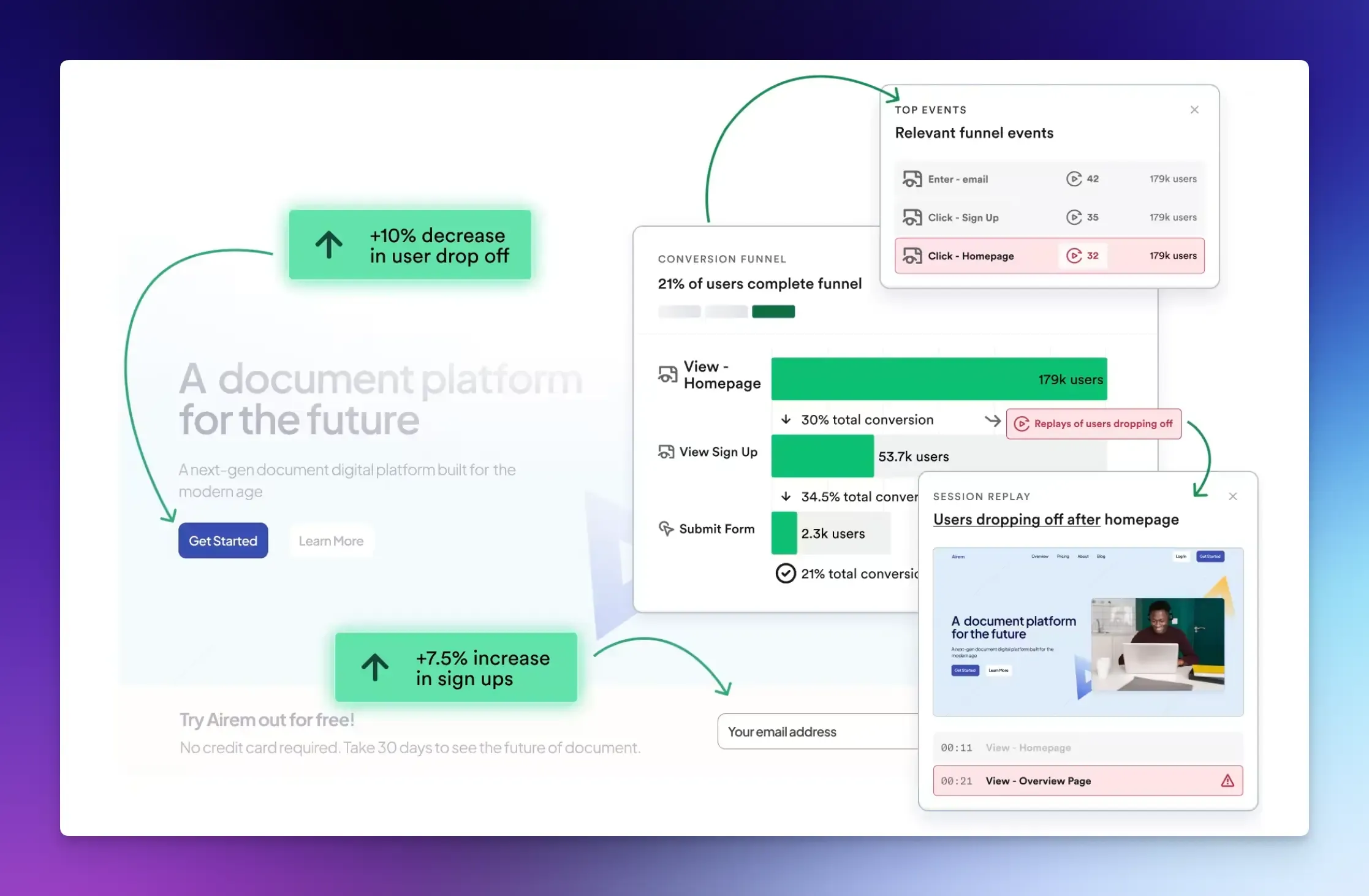
Heap analytics automatically records everything your users do from the moment you install it. This gives you a broader view of user behavior without needing to plan every detail.
If a user reports a bug, you can analyze that specific action retroactively without adding new tracking code. This comprehensive data capture and speed are the main reasons many product teams use Heap.
Key Features
- Automatic Event Tracking: A single snippet on your website or app starts recording all user interactions without any additional setup.
- Retroactive Analysis: Heap captures all user actions by default. That means you can look back at past behavior and define new events later without missing data.
- Session Replay and Heatmaps: Watch recordings of every event to see where users struggle, or view heatmaps that show where users click most.
- Funnel and Journey Analysis: View the steps users take to complete a goal. Heap’s journey maps automatically suggest key user paths for you to add.
- Data Science: Heap uses algorithms to automatically alert you to significant friction points or opportunities you might have missed.
Pros
- Quick Setup: The autocapture setup is simpler and faster than setting up a large set of specific events. You immediately start collecting behavioral data without deciding what to track first.
- No Missing Data: Retroactivity allows you to analyze user behavior for events you didn’t think to track when you first implemented the tool. You don’t have to worry about forgetting to track a specific action.
- Good for Non-Technical Teams: Marketers, product managers, and designers can work with data and define events without relying on engineers.
Cons
- Large Data Volume: Capturing everything results in massive amounts of data, which can feel less organized and often requires more work to find the information you need.
- Complexity: The interface can be complex, and integrating with a complicated product (especially mobile applications or sites with many versions) may take more effort than expected.
- Cost at Scale: Its pricing is based on tracked sessions and can become expensive when storing large amounts of autocaptured data.
Pricing
Heap uses a custom pricing model, which isn’t publicly listed. You can contact them for details. There is a free plan with core features, but it is limited to 10,000 monthly sessions.
How to Choose: Mixpanel vs Heap?
Your choice depends on your team’s resources and which tool fits your specific situation.
Heap is best for product, growth, and smaller companies that want full visibility into user actions without manual tagging. Mixpanel may be better for teams that require planned experiments or tight control over all metrics.
Choose Mixpanel if:
- You have developer resources to define key events and tracking.
- You are a startup whose growth relies on providing core product value.
- Your product and design teams need shared access to behavioral data.
- You have defined goals and specific user actions to measure.
Choose Heap if:
- You need quick insights and have limited developer resources.
- You’re not yet sure what you need to track.
- You’re willing to manage larger datasets for the benefit of retroactive flexibility.
- You want to optimize user experience and need granular behavioral data.
Vemetric: A Mixpanel and Heap Alternative
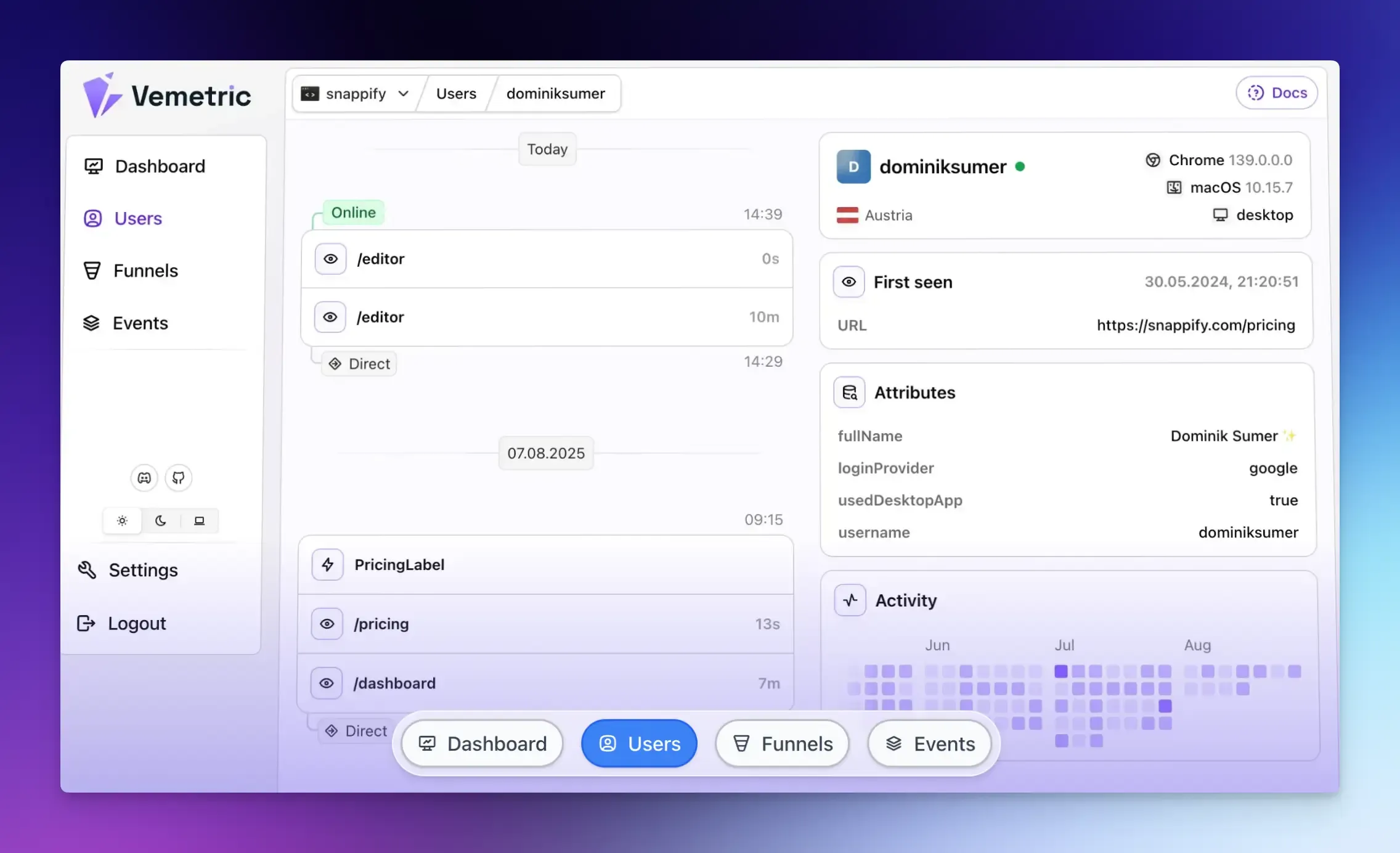
If you want the best of both tools but are concerned about cost and privacy, Vemetric offers a good alternative.
Vemetric is a privacy-focused, open-source analytics tool that combines web analytics and product usage insights into a single dashboard.
It helps you understand everything from how visitors find your marketing pages to how they use the features within your app.
It is also more affordable and transparent than many analytics platforms that charge based on usage, especially for smaller projects or startups.
With Vemetric, you can:
- Track the full user journey from their first anonymous visit to their logged-in activity across different devices and sessions.
- Analyze funnels to see where users drop off and which user segments convert best.
- Monitor activity in real-time with a live stream of events.
- Protect user privacy with cookieless tracking and follow strict data privacy rules, such as GDPR.
- Integrate with WordPress using an official plugin that automatically adds Vemetric to your site to track page views and clicks.
Final Words
This guide will help you choose the right platform for you and your team to build a better product.
Both options enable you to see patterns in user behavior, track key actions, and measure the effectiveness of your improvements.
Vemetric stands out by offering straightforward web and product analytics and making it easy to get started in a privacy-focused, open way.
To pick the right solution for you, consider your team’s goals, the amount of setup time you can dedicate to analytics, and how simple you want the data to be.
FAQs
The most important product analytics metrics to track are: activation, engagement, retention, and conversion rates. These measures indicate whether users find value in your product, adopt it, and continue using it over time.
Choose tools like Vemetric that are built with privacy in mind. This way, you can easily anonymize user data, specify data residency options (where your data is stored), and limit the collection of personal data by default.
A vanity metric looks good on a report but doesn’t tell you much. An actionable metric directly connects to user behavior, helping you decide what to do next and guiding improvements.
Ready to understand your users?
Start tracking